




How to renew your access
✅ You can now renew your existing access in two ways:
- Option 1: via the Renew Access page
- Option 2: directly on the product details page of your existing access
✨ Option 1: Renew via the overview page
- Open Renew Access
- Add the access you want to renew to the overview
- Click Checkout
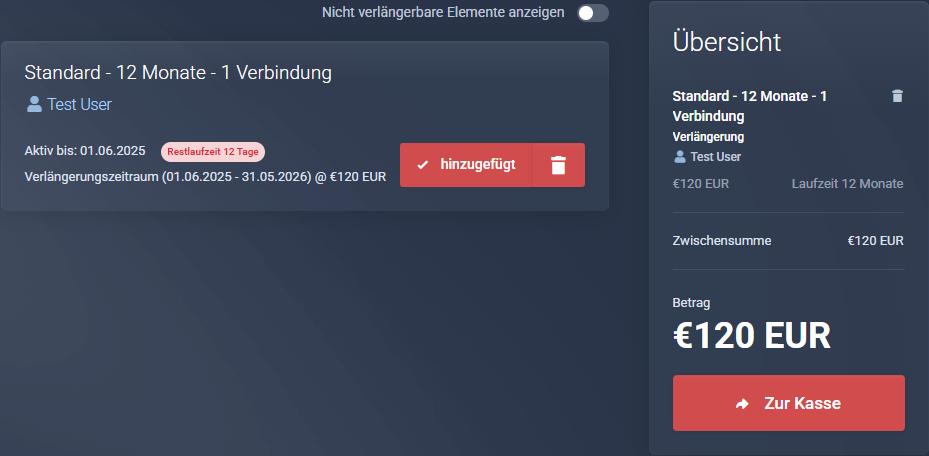
- Complete the payment.
✨ Option 2: Renew directly on the product details page
- Open the existing access you want to renew in your client area
- On the product details page, you will find the Renew Access section
- Click the renewal button there to start the renewal directly
- You will then be redirected to checkout
- Complete the payment.
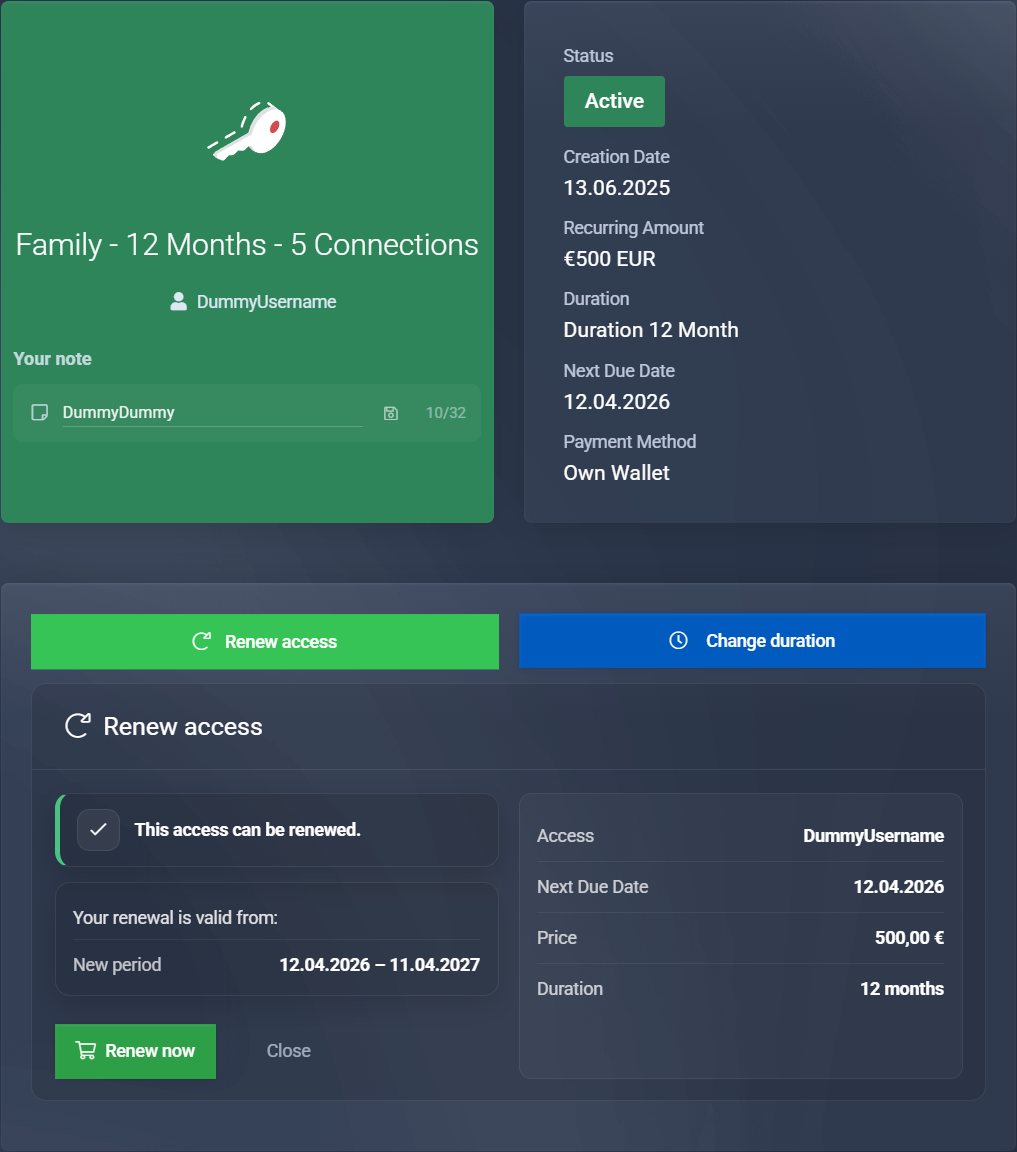
✅ This option is especially convenient if you want to renew your access directly from the detail view without first switching to the overview page.
⚠️ If your access is not listed on the Renew Access page, switch to Show non-renewable accesses at the top — you will then see all accesses together with a short explanation.
More information here: Where is my renewal button?
✅ The new duration is always added to your existing remaining time. You do not lose any remaining time.
ℹ️ If you need help with payment, you can find suitable guides under How to pay.
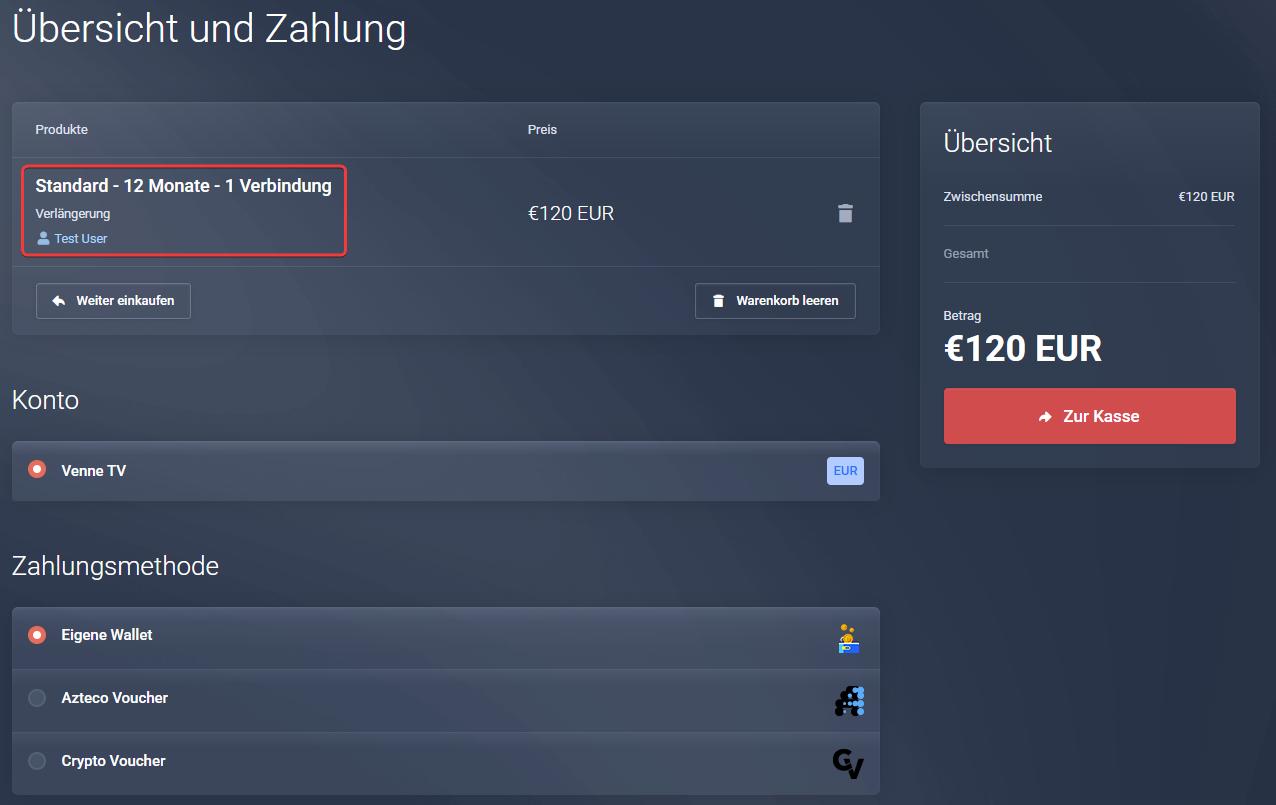
No matter which option you use: before completing your order, it will be shown again that this is a renewal.
You will also see the username of the existing access that is being renewed.
This way, you can be sure that the correct access is being renewed. If renewal and username are not shown, no access is being renewed and a new access is being purchased instead.
⚠️ Do not simply place a new order in the shop — this will purchase an additional access instead of renewing your existing one.
⚠️ We will not correct wrong orders afterwards!
❓ Would you like to change the duration?
Then please follow the guide for changing the duration
⚠️ Would you like to change the number of connections?
Unfortunately, this is not possible.
- Order a new access with the desired number of connections.
- Or let your current access expire and then order a new one.